Facebook & Instagram leads
Every lead from your ads reaches an agent in seconds
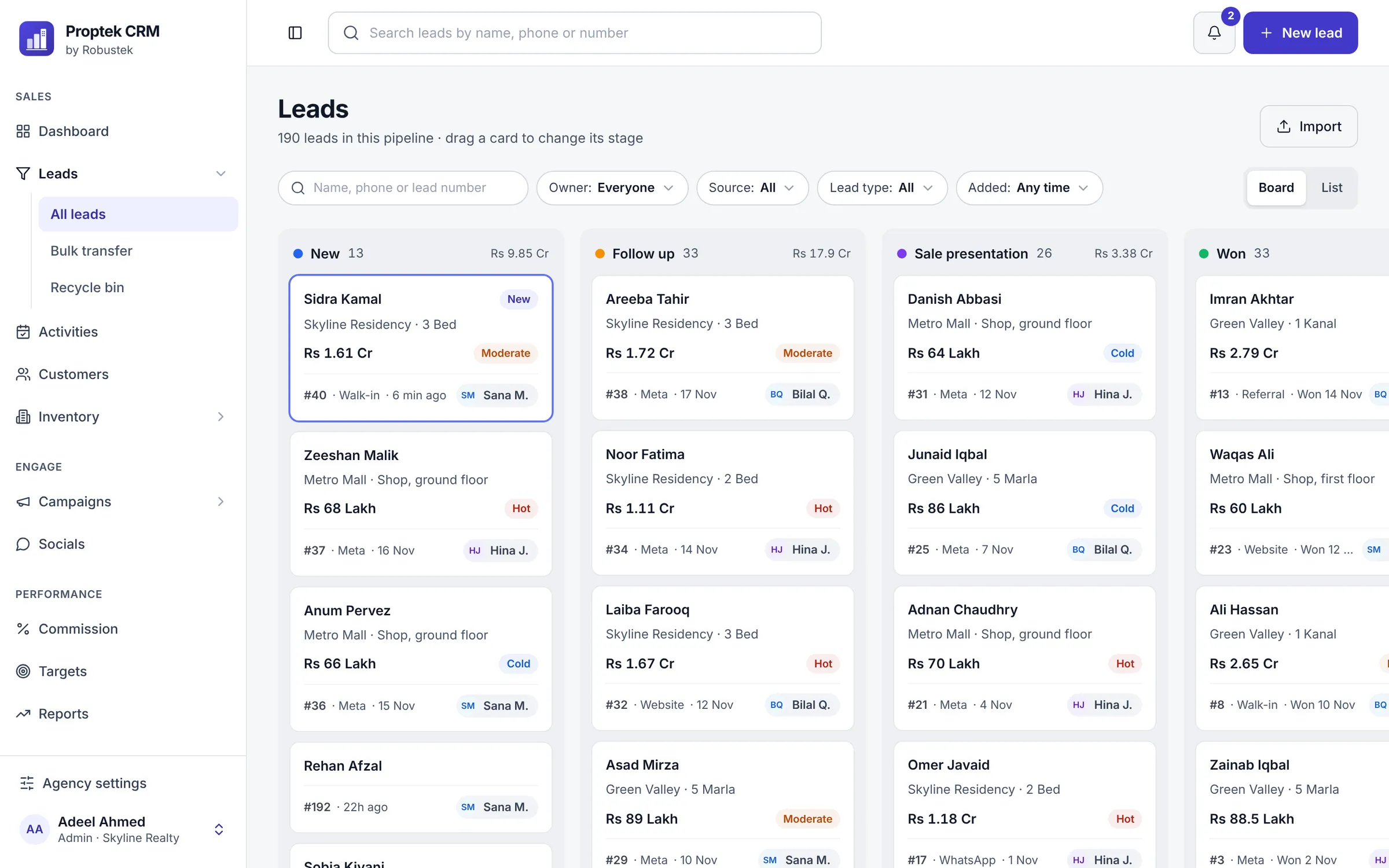
Connect your Facebook Page once. From then on, everyone who fills your Facebook or Instagram lead form appears in Proptek about a second later, already given to an agent, with the ad they came from and the answers they gave.
What you get
Facebook & Instagram leads, made simple
Connect in two clicks
An admin clicks Connect Facebook, logs in to Facebook and picks the Pages. No codes, no downloads, no developer.
Instagram included
Instagram lead forms run through your Facebook Page, so those leads arrive the same way.
Shared out in turn
Each new lead goes to the next agent in line (round robin), so everyone gets a fair share and nobody picks favourites.
Nothing slips through
Besides the instant delivery, Proptek checks Facebook again every 15 minutes, so a lead is never lost.
Same buyer, one lead
If someone who already enquired fills a form again, Proptek adds it to their existing lead and tells the agent, instead of making a copy.
The ad and the answers
Each lead keeps the ad, the campaign and every answer from the form, so the agent knows what the buyer asked about before calling.
How it works
Three steps, no training needed
- 1
A buyer fills your form
They tap your ad on Facebook or Instagram and leave their name and number.
- 2
Proptek picks the agent
About a second later the lead is on your board at New, given to the next agent in turn.
- 3
The agent calls
The lead has Call and WhatsApp buttons, and the dashboard shows anyone not called yet.
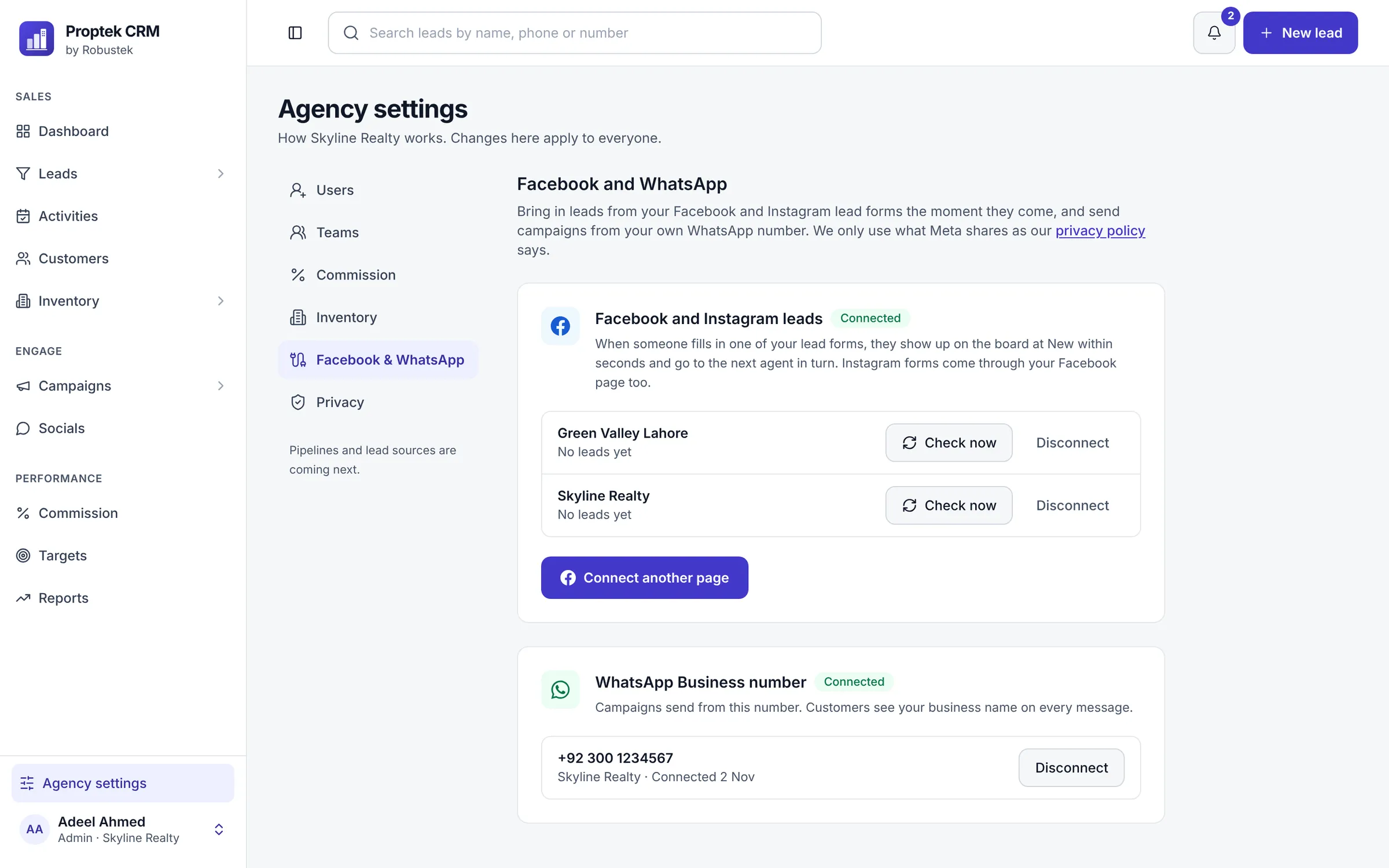
All your Pages in one place
See each connected Page, when its last lead came in, and check for new leads whenever you like.
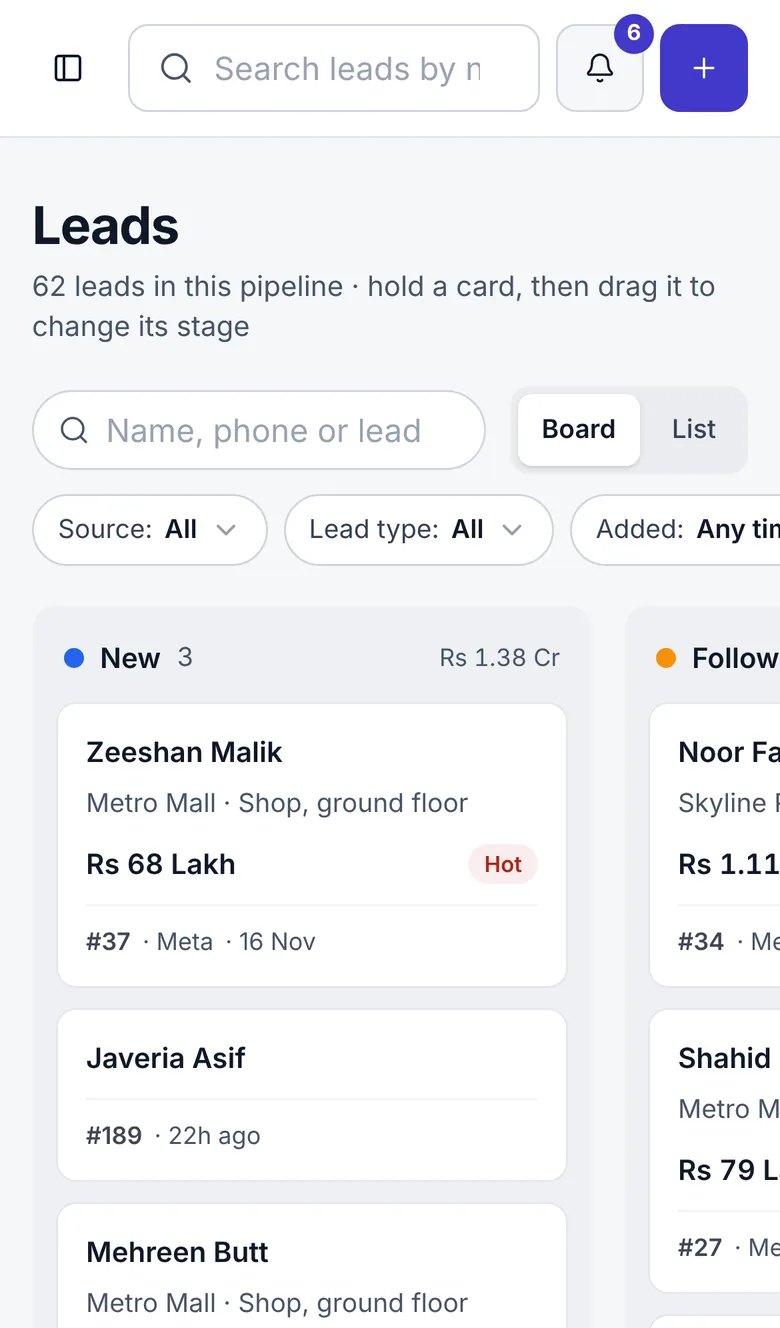
On the agent's phone
New leads show up on the board on any phone, ready to call.
Common questions
Facebook & Instagram leads
Something else on your mind? Ask us on WhatsApp.
Do I need a developer to connect Facebook?
No. An admin opens Agency settings, clicks Connect Facebook, logs in with the Facebook account that runs your Page, and picks the Page. That's all.
Can I connect more than one Facebook Page?
Yes. Connect every Page your agency runs ads from, and choose which board each Page's leads go to.
Does it work with Instagram lead ads?
Yes. Instagram lead forms belong to your Facebook Page, so connecting the Page brings in both.
Is this the official Facebook connection?
Yes. Proptek uses Meta's own login and lead ads connection. We only receive the leads your forms collect.
What about walk-ins, calls and referrals?
Agents add them by hand in a few taps, and you can upload old leads from a spreadsheet saved as CSV.
See Proptek with your own projects
Book a free 30-minute demo. We'll show you how leads, follow-ups and bookings work for an agency like yours, then set up your 14-day free trial.
14-day free trial · We set it up with you · No card needed