Targets & reports
Know who is selling, without asking
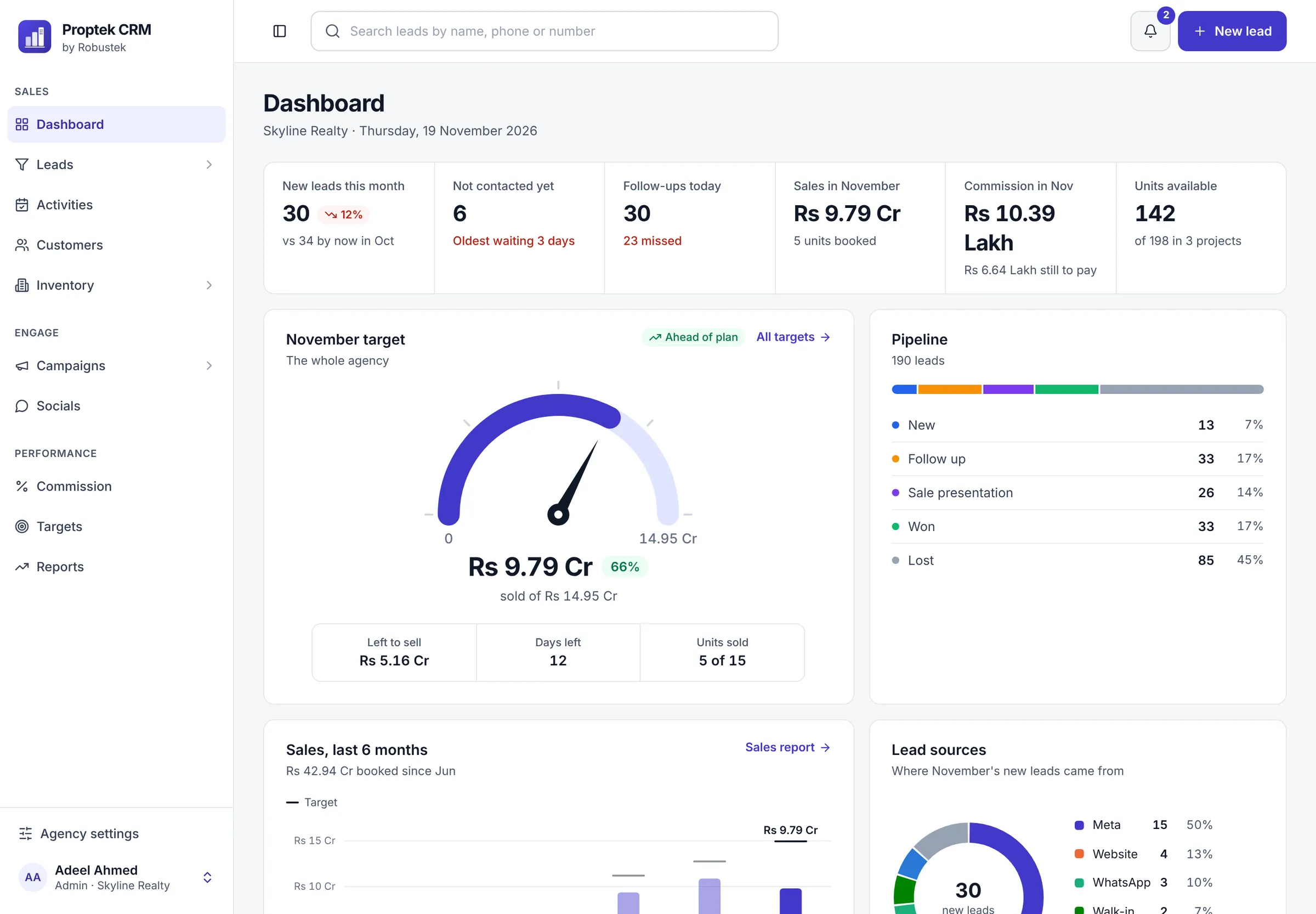
Set a monthly target for the agency, each team and each person. The dashboard shows how close you are with a simple needle, and reports show leads, follow-ups and sales for every agent.
What you get
Targets & reports, made simple
Monthly targets
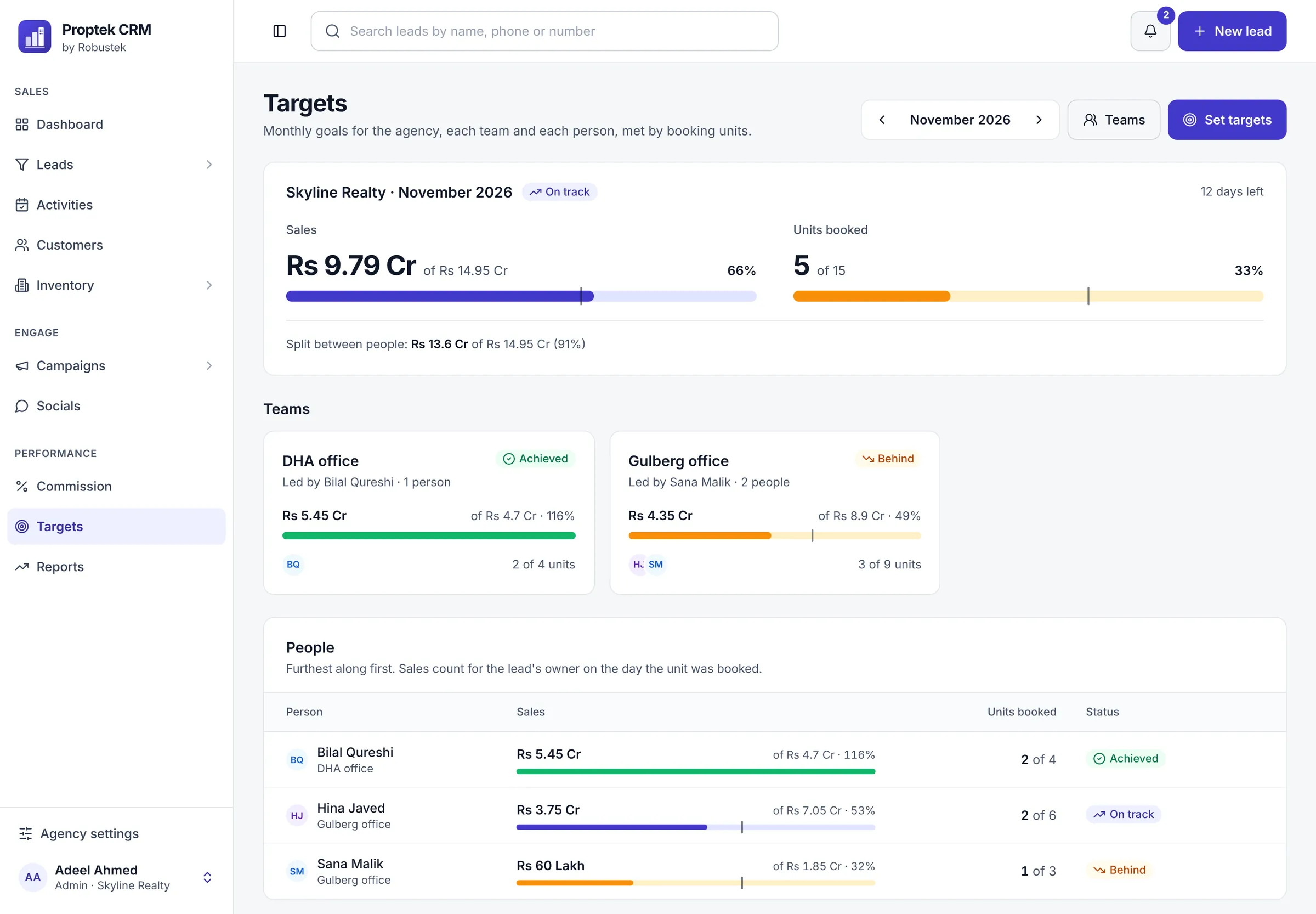
Targets for sales value and units booked, for the agency, each team and each agent.
Ahead or behind, in plain words
Proptek tells you whether you're ahead of plan or behind where you should be by today.
A dashboard for managers
New leads, leads not called yet, follow-ups due today, sales, commission and units left, on one screen.
A dashboard for agents
Agents see only their own numbers: their sales, their target and their day, never the agency's.
Six ready reports
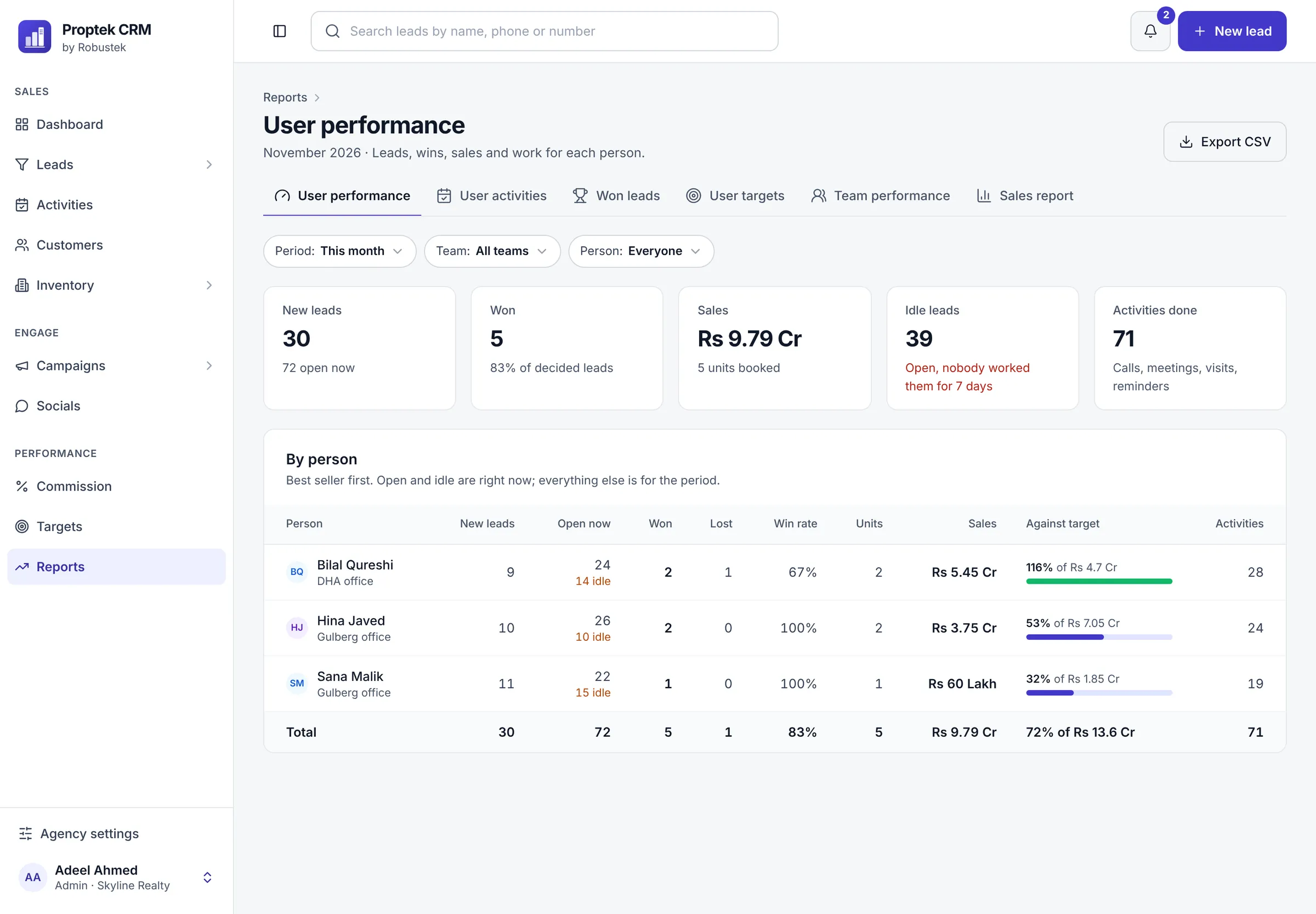
User performance, user activities, won leads, targets, team performance and sales, for any period.
Download to Excel
Every report downloads as a CSV file that opens in Excel or Google Sheets.
Targets for everyone
The agency, each team and each agent, with who has achieved, who is on track and who is behind.
Reports that answer real questions
Who got leads, who worked them, who won, and how far each person is from their target.
Common questions
Targets & reports
Something else on your mind? Ask us on WhatsApp.
Can agents see the agency's total sales?
No. Agents see only their own numbers. Reports are for owners, managers and team leaders (for their own team).
Can I choose the dates for a report?
Yes. Pick a period on any report, and filter by team or person.
How are targets counted?
A sale counts for the agent who owns the lead on the day the unit is booked, in sales value and in units booked.
See Proptek with your own projects
Book a free 30-minute demo. We'll show you how leads, follow-ups and bookings work for an agency like yours, then set up your 14-day free trial.
14-day free trial · We set it up with you · No card needed